Features
Everything Bike does, in one place
Build it from what you have, change it in plain words, and run it by point and click.
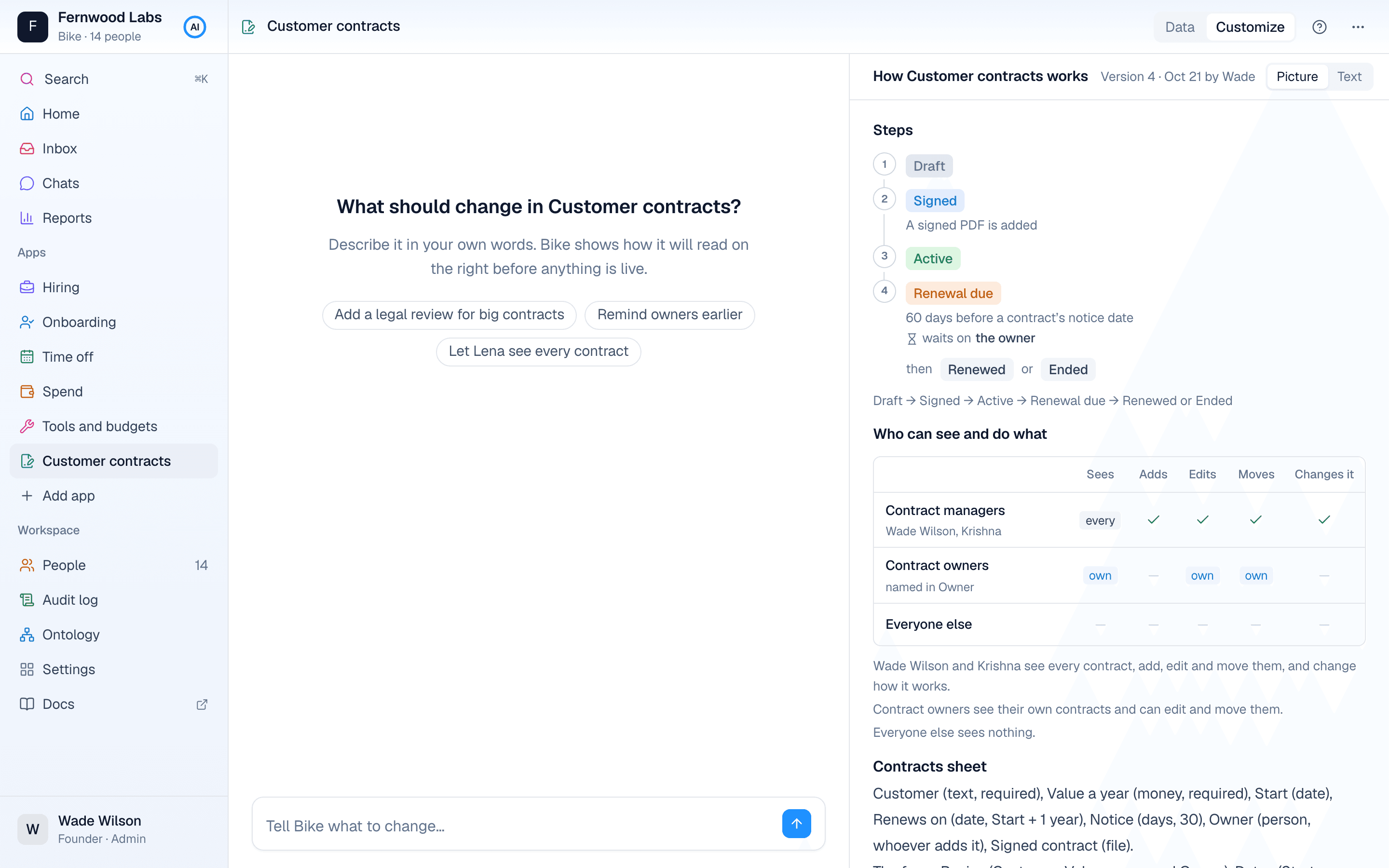
Build
- Build your whole company from your write-up, policies and an export, with Build all
- One question when your data and your policies disagree, never more
- One app at a time from a message in chat
- Start from a ready app set, for a CBSE school or a professional services firm, in three steps with no AI (beta)
- Also changes: what a new app needs from the ones you have, applied together
- Import CSV and Excel files, matched to your columns
- The Ontology page: how your company runs, in plain paragraphs
Change
- Customize any app by saying what should change
- Turn typed text into a link to another app’s rows, with every row shown before it moves and the typed values kept
- See the app as it will read before it changes
- See what a change does to today’s rows
- A question with choices when a request isn’t clear
- Connections and rules that read a change are checked and fixed with it
- Change a form in words: its tabs, what a new row asks first, and questions shown only when relevant
- Company rules: one policy across every app, kept in the Ontology
- Every version kept, and the Ontology’s past versions to read or download
Work
- Tables with filters and sorting, and a panel for each row
- Forms that read like a short document: choices as buttons, people with their initials, amounts formatted as you type
- A new row asks only what it must; the rest waits in tabs, filled in later
- Change any answer where it is, in the record or straight in the table, with Undo
- Add a row at the bottom of the table
- The status as a dropdown, with only the moves you may make
- Linked rows previewed when you hover them
- Files dropped on a question: PDFs and photos
- Drop a signed PDF on a form, and Bike fills it in for you to check
- Change many rows at once, and export to CSV
- A board by step: drag a card on, with the same checks as anywhere else
- Each record shows the rows that point at it, such as a contract’s renewals and contacts, and adds one already linked
- Notes on any row, kept with who wrote them and when
- Each row’s History: what changed, who changed it, and when
- Help for every app, written for what you can do in it
- Cost centres and categories under each other, with totals that include everything under them
- Balances kept as a ledger: leave and stock entries are only added, and a wrong one is reversed
- Price lists, salaries and limits by date: the value in force on each day
Find
- Saved views, your own or shared with everyone who sees the sheet
- Show, hide, reorder and resize columns; they stay as you left them
- Group rows by step, person, team, choice or month, with subtotals
- Search a sheet: press / and type
- ⌘K: go to any app, row or page, or start a new row
- Describe the rows you want in plain words, and get the filters
- Move through a table, open rows and change their status from the keyboard
Automate
- Rules when a row is added, reaches a step, changes, or a date comes
- Rules that repeat on a schedule and add rows by themselves, such as the office rent every month
- Ask a person to approve or decline, and wait for them
- Email the people a rule names
- Start or update a row in another app
- AI suggestions a rule asks for, which a person confirms
- See what a rule would have done on your last 90 days before saving it
- Rules that would loop are refused
Know what’s waiting
- An Inbox: what waits on you, what you’re waiting on, and what others did to your rows
- A count beside each app of what waits on you
- Waiting on me, in every table
- A morning email, only when something waits
- For admins, a Monday email of what changed last week
Reports
- Ask a question about your data in chat
- A chart and a table, with how it was worked out
- Says plainly what the data can’t answer
- Change the report by replying
- Download as CSV or PDF
- Run again later, beside the first answer
- Save a report, and have it emailed to you as a PDF every day, week or month
- Search your chats
People and access
- Sign in with a code sent to your work email
- Each app’s roles: every row, only your own, or your team’s
- Admins build and change; everyone else works by point and click
- People from a team file, with who reports to whom, and an org chart
Trust
- Every change, and every rule that ran, in the Audit log
- AI proposes; nothing is live until a person confirms
- Uploaded files are read as data and checked for viruses
- Each company’s data kept apart, checked on every read and write
- Hosted in Singapore
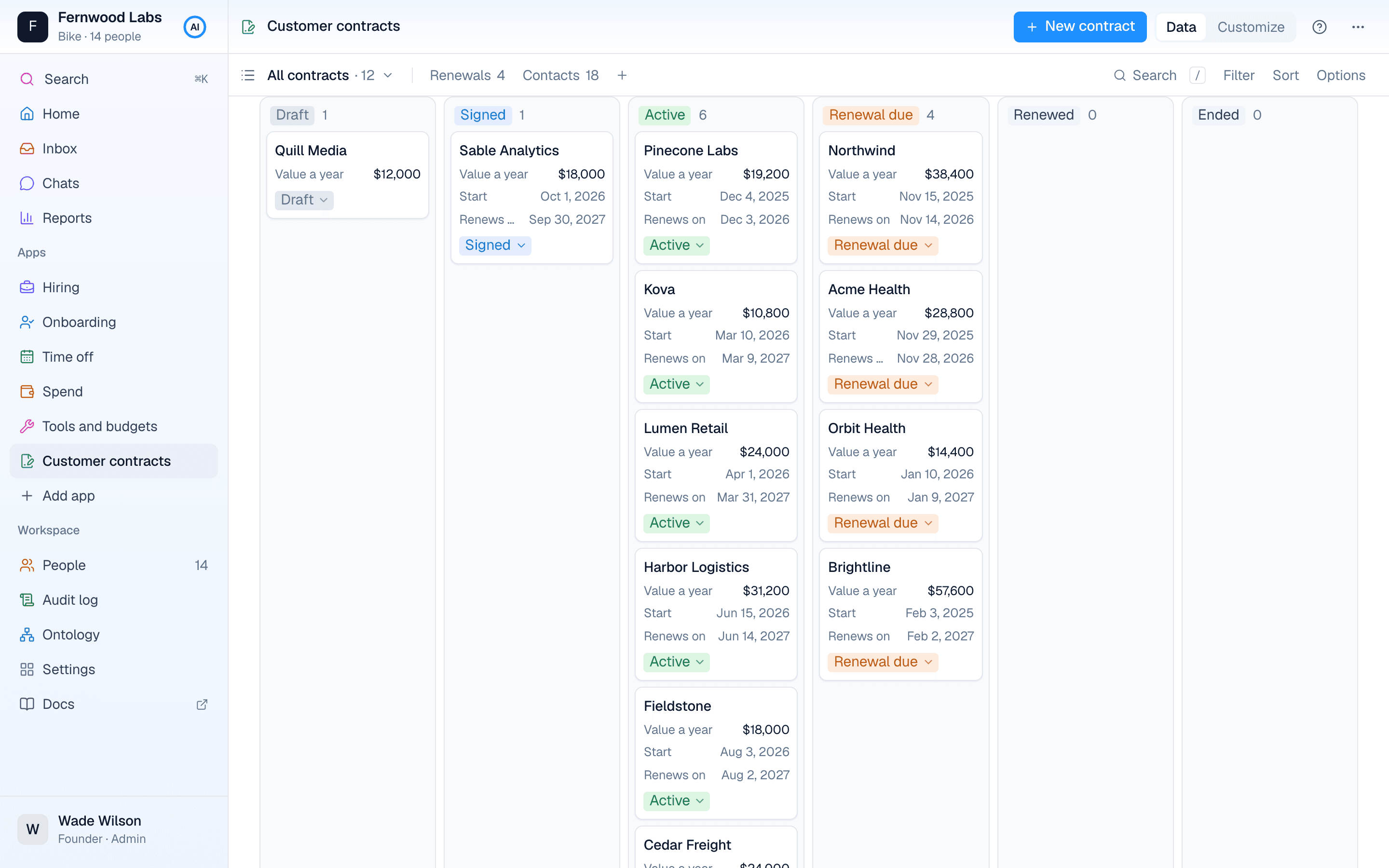
Fast at 100,000 records too. See the numbers
Request access
Bike is opening to a few companies at a time. Tell us your company, how many people work there, and what you run on today.